
GPS Phone Location Tracker
Geolog TechnologyParenting
4.3329.00 Reviews
- Version
- 64.0.0
- Installs
- 1.00M
- Age Rating
- Everyone
Screenshots
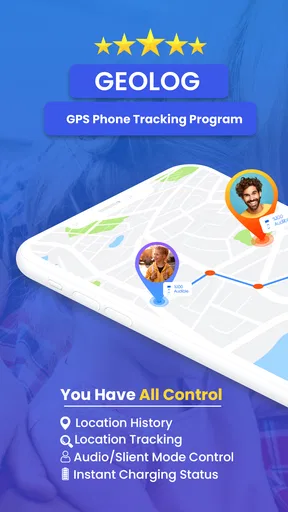
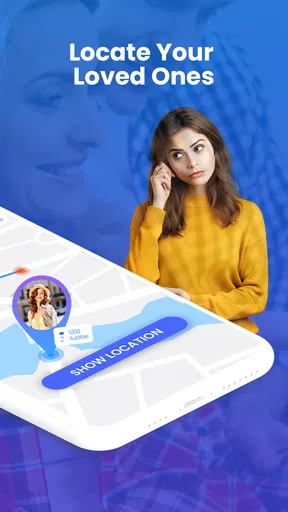
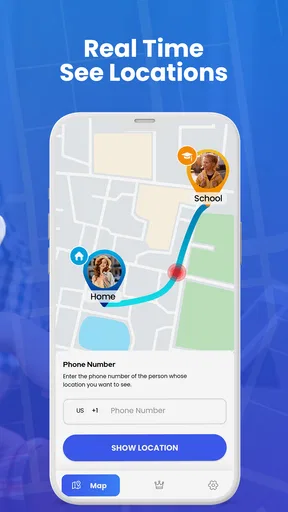
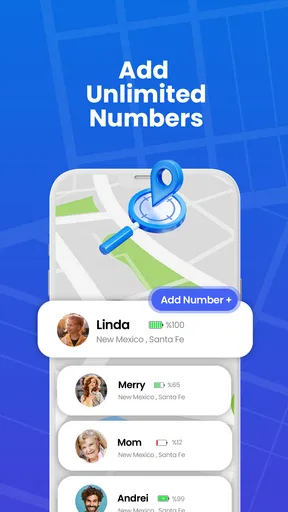
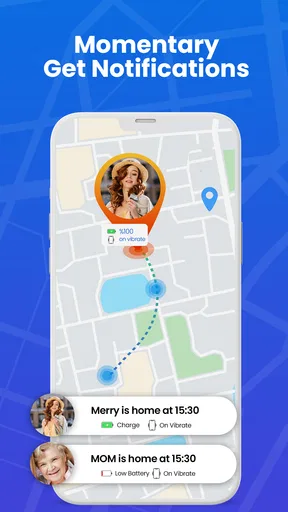
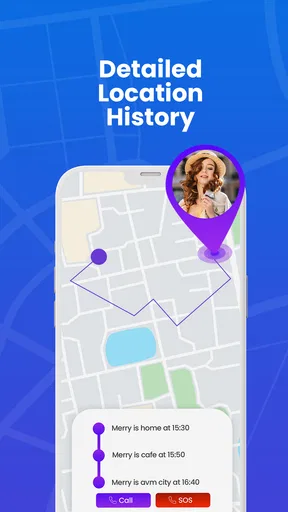
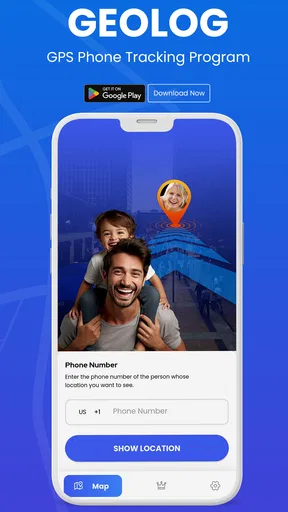
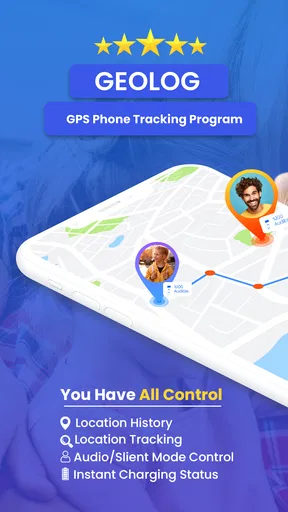
Our Review of GPS Phone Location Tracker
 Analysis by Appyee
When I need a location-sharing tool to help me find a phone or coordinate with family, I want a routine that is clear and agreed on—not a reason to check someone’s movements all day. That is the lens I bring to GPS Phone Location Tracker, a parenting app from LastSeen Technology. Its focus is practical location tracking, but the value depends just as much on how a household uses it as on the map itself.
How the tracker fits into a family routine
I find the most useful family routine is one with a clear trigger for opening the map: a planned arrival, an unexpected delay, or a phone that may have been left behind. In the next section, I’ll focus on how to make those checks thoughtful and repeatable, so location sharing supports a conversation rather than replacing one.
Start with a simple, agreed workflow
For a parent, the most useful starting point is a specific purpose: checking that a child has arrived at school, or finding a misplaced phone. I would set up the app with the person carrying the device, explain what location sharing is for, and agree on when checking it makes sense. That keeps a safety tool from turning into an expectation of constant surveillance.
A realistic example is a child walking home after an after-school activity. Rather than repeatedly messaging for updates, a parent can use the location view to check whether the phone appears to be moving along the expected journey. If anything looks unclear, a call or message is still the sensible next step; a map can show a device’s reported position, but it cannot explain why the person stopped or whether they are okay.
This distinction matters with any GPS location tracker. A phone can be left behind, switched off, or unable to provide a fresh position, so I treat the display as useful context rather than proof of someone’s safety. For a lost phone, the same habit helps: check the location, then use ordinary judgment before deciding whether to travel there or ask someone nearby for help.
Settings and habits worth checking
Before relying on location updates, I would walk through the app together and make sure everyone understands what the setup means. The app’s setup asks for permissions, so I would read each request on the device and consider whether it fits the intended use. That is a better approach than tapping through quickly and discovering later that a setting behaves differently from what the family expected.
It also helps to make a small check-in routine. For instance, a parent might check the app around the time a child usually reaches a destination, then contact them directly if the location is old or confusing. That is more considerate—and often more useful—than refreshing the screen repeatedly. Agreeing on who can view a location and when to use the app makes the arrangement clearer for children as they get older.
Location history can be useful for understanding a route or retracing where a phone may have been left, but I would use it sparingly. Reviewing a path for a practical reason is different from treating a history as a record to inspect without a clear need. Families should talk about that distinction up front, especially when a child is old enough to expect more privacy.
Make repeat checks quicker, not constant
The best shortcut is often a repeatable habit rather than a hidden feature: open the tracker at a natural checkpoint, confirm whether the location is recent enough to answer the question, and then close it. If the result is unclear, switch to a direct call or message. This prevents the map from becoming a substitute for communication and keeps the tool focused on the moments when it actually helps.
For a misplaced phone, I would also separate “find the device” from “track a person.” If the phone is likely at home or with a family member, a location check may narrow the search. If it is somewhere unfamiliar, the map alone should not be treated as an invitation to confront anyone or enter private property. Use sensible safety precautions and seek appropriate help when the circumstances call for it.
Compared with basic phone-finding tools, a family tracker is more relevant when the goal is shared location awareness over time rather than locating only your own device. Compared with calling or texting, it can answer a quick “where does the phone appear to be?” question without waiting for a reply, but it cannot provide the human context a conversation can. I see those options as complementary, not interchangeable.
Where location tracking has limits
Any GPS-based app depends on the phone being available to report its position. A stale or unexpected result should prompt a check-in, not an assumption. Location accuracy can also be affected by the phone’s surroundings and conditions, so I would avoid making a safety decision based on a small difference on the map. The app is most useful for orientation and coordination, not emergency response.
Battery use is another practical consideration with location apps. The app includes a battery-saving feature, but I would still keep an eye on the device’s charge during a long day and avoid assuming that tracking can continue indefinitely. A child heading out with a nearly empty phone may be harder to reach for several reasons, not just because a location update is missing.
It is also worth considering whether this is the right kind of tool for the household. If everyone already uses a built-in location-sharing service and it covers the family’s needs, adding another app may create duplicate alerts or confusion about which map to trust. If the need is only to find your own lost phone, a device-maker’s built-in finder may be the simpler choice. I would choose one clear system rather than asking family members to maintain several overlapping trackers.
The app is free to download, with in-app purchases ranging from $1.49 to $24.99 per item. It has a 4.4 average from around 188,000 ratings and has been installed over a million times. Those figures may help with a first impression, but they cannot tell you whether its approach suits your family; the setup and everyday experience matter more. It is rated for Everyone, and the current version is 63.0.0, with Android 5.0 or later listed as the minimum requirement.
One question parents often have is whether a location point can replace a check-in. In my view, no: it can help answer a narrow location question, but it cannot confirm a child’s wellbeing or explain a delay. Another is whether to keep history for routine monitoring. I would use it only when it serves a clear purpose, and I would make that purpose explicit to the person carrying the phone.
A measured verdict for parents
So, here's the scoop. GPS Phone Location Tracker is all about helping you track your phone’s location, and guess what? It does it really well. The app combines GPS technology with a user-friendly interface, making it super easy to navigate. You don’t have to be a tech wizard to figure it out, which is a huge win in my book.
Getting Started
Downloading and setting up the app is a breeze. Head over to your app store, hit download, and you’re good to go. The installation process is quick, and once you open it, you’re greeted with a straightforward setup guide. Trust me, it’s as easy as pie.
One thing I love is how the app asks for the necessary permissions right up front, so you know exactly what you’re agreeing to. No hidden surprises here. Once you’re set up, it’s time to dive into the features.
Main Features
Okay, let’s talk features because this app has some cool ones. First off, the real-time location tracking is spot on. Whether you’re trying to find your phone or keeping an eye on your kid’s whereabouts, it’s incredibly accurate.
- Real-Time Tracking: The app uses advanced GPS technology to provide accurate, real-time updates on the location of your phone.
- Location History: Ever wonder where you’ve been? The app keeps a detailed history of your locations, which can be pretty handy.
- Geofencing Alerts: You can set up geofences, and the app will notify you when the phone enters or leaves a designated area. Perfect for keeping tabs on the kids!
- Battery Saver: The app has a smart battery-saving feature that ensures it doesn’t drain your phone’s juice.
These features are not only practical but also add a layer of convenience and security to your daily life.
User Experience
Let’s talk about the user experience, which is a crucial part of any app. The design is sleek and intuitive. All the features are laid out in a way that makes sense, and you don’t need to dig through menus to find what you need. The app runs smoothly without any annoying lags or crashes, which is always a plus.
Another thing I appreciate is the support. If you run into any hiccups, the customer service is responsive and helpful. It’s clear they’ve put a lot of thought into making sure users have a positive experience.
Final Thoughts
All in all, GPS Phone Location Tracker is a solid app that delivers on its promises. Whether you’re using it for peace of mind or just to avoid those "where’s my phone?!" moments, it’s incredibly useful. The app is well-designed, reliable, and does exactly what it says on the tin.
If you’re on the hunt for an app that offers dependable location tracking with a user-friendly interface, give this one a shot. You might just find it’s the perfect fit for your needs.
Privacy and Permissions
See what permissions an app requests and how it handles your data.
- Location
- approximate location (network-based), precise location (GPS and network-based)
- Other
- view network connections, full network access, run at startup, control vibration, prevent device from sleeping
Verdict
Strengths of GPS Phone Location Tracker
- Accurate real-time tracking.
- User-friendly interface.
- Multiple device compatibility.
- Customizable alerts.
- Battery-efficient operation.
Limitations of GPS Phone Location Tracker
- Requires constant internet connection.
- Limited free features.
- Privacy concerns for some users.
- Occasional location inaccuracies.
- Ads in the free version.
Similar Picks in This Category
View All
Family Space
Motorola Mobility LLC.3.9

شرطة الأطفال - مكالمة وهمية
Oub Apps4.1

Findmykids: Parental Control
LETEM LTD4.6

Pregnancy + | Tracker App
Philips Electronics UK Limited4.8

Policía de niños - para padres
Kids police4.7

Pregnancy App
Amila4.9
Frequently Asked Questions
How accurate is the GPS Phone Location Tracker?
The GPS Phone Location Tracker is designed to provide highly accurate location data, often within a few meters of your actual position. It uses a combination of GPS, Wi-Fi, and cellular networks to ensure precision. However, accuracy may vary in dense urban areas or places with poor signal reception.
Does the app drain the phone’s battery quickly?
The GPS Phone Location Tracker is optimized to minimize battery consumption. It uses advanced algorithms to balance accuracy with power efficiency. While continuous tracking will use more battery, the app includes settings to adjust tracking frequency, helping to conserve power when needed.
Is my data safe while using this app?
User privacy is a top priority for the GPS Phone Location Tracker. The app employs encryption to protect your data and follows strict privacy policies. Location data is only shared with your consent, and you can control who has access to your location information.
Can I track multiple devices simultaneously?
Yes, the GPS Phone Location Tracker allows you to track multiple devices at once. This feature is particularly useful for families or teams needing to monitor several phones. You can easily switch between devices within the app’s interface to view each device's location.
Is the GPS Phone Location Tracker available offline?
The core functionalities of the GPS Phone Location Tracker require an internet connection for real-time tracking. However, it can cache and display recent location data offline. For best results, ensure you have a stable internet connection to access all features effectively.
